Feb 7, 2025 · Originally published on Medium
OpenAI’s Operator Clone with Real-time API
 Demo: the agent searches Amazon and adds a book to the cart.
I have created a clone of OpenAI’s agent called Operator. As of February 6, 2024, OpenAI’s official operator costs around $200 per month, which can be expensive. To overcome this, I built my own version using an open-source library called browser_use. Additionally, I enhanced it by integrating with the OpenAI real-time API, so you can interact with it using voice commands, making it a more powerful and cost-effective alternative to OpenAI’s operator.
The full code is on GitHub.
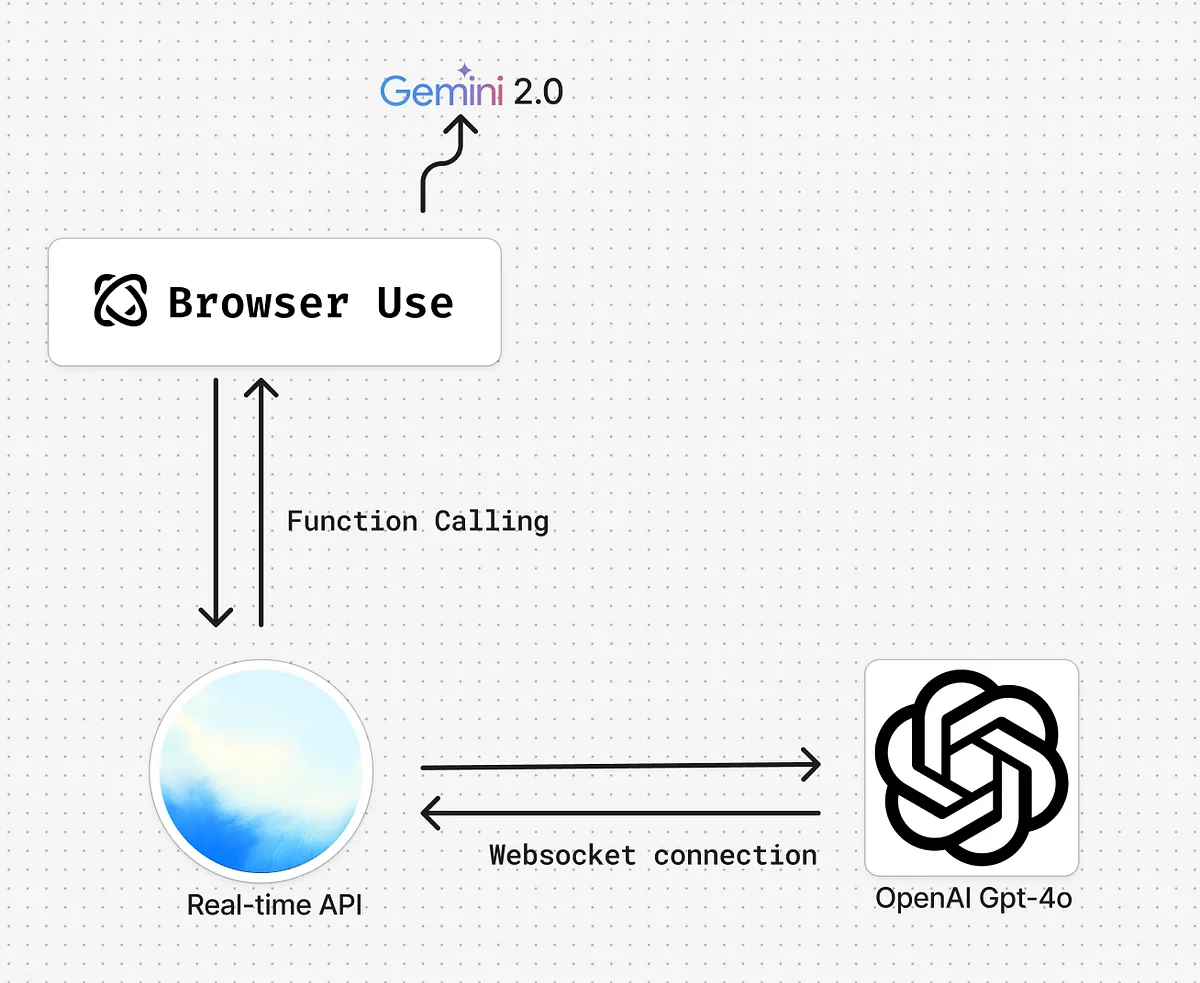
Below is an image illustrating the project’s architecture.
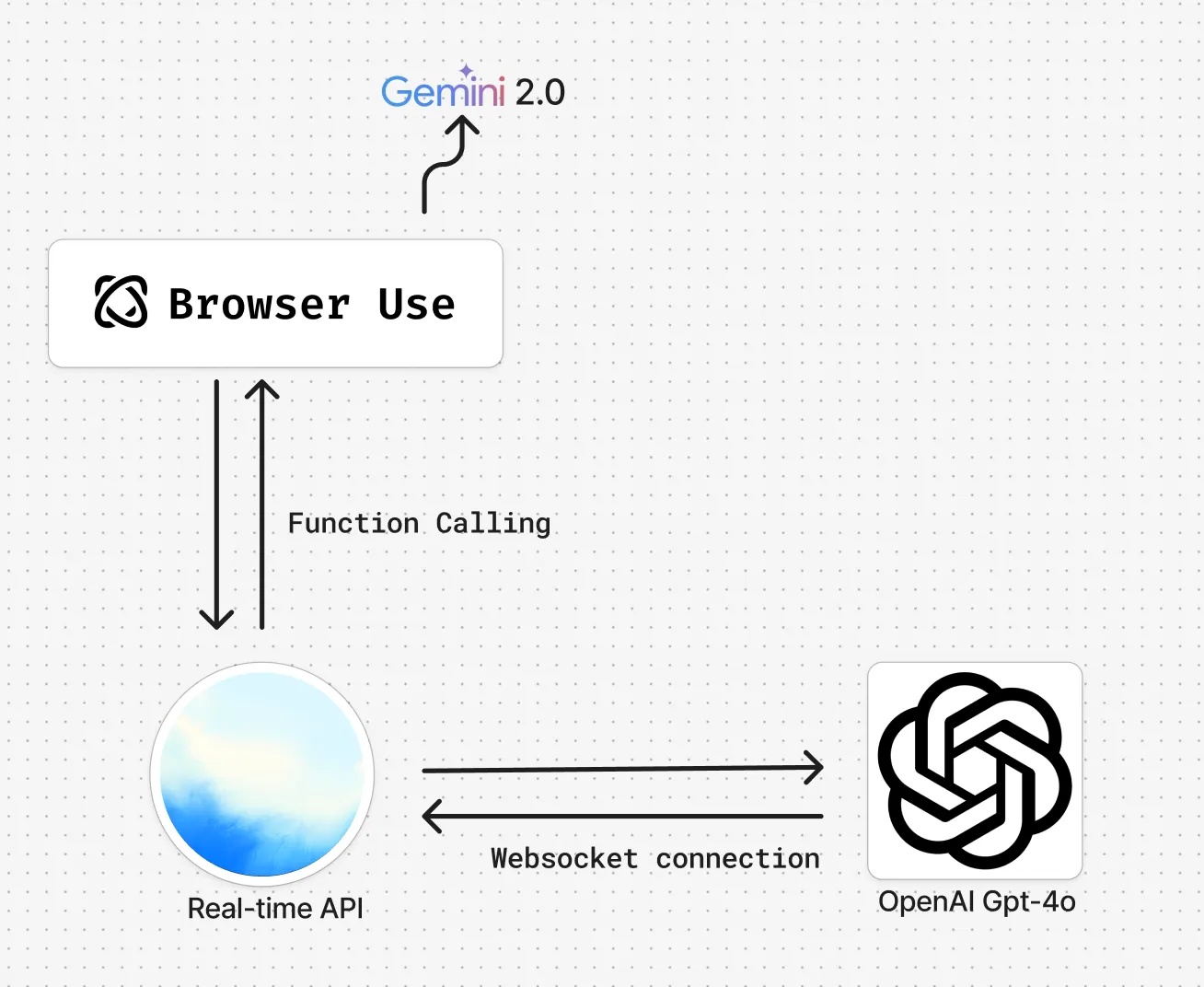 Project’s Architecture
Features
My system includes:
- OpenAI Real-time API for instant interaction
- Function calling to run browser automation tasks
- browser_use library to control the browser
- WebSocket connection for smooth communication
- Gemini 2.0 Flash for running browser tasks (cheaper than GPT-4o)
How It Works
1. OpenAI Real-time API
Users interact with the real-time API, which connects via WebSocket to OpenAI’s model for instant responses. I am using gpt-4o-realtime-preview-2024–10–01 for my project.
2. Function Calling
The OpenAI real-time API supports function calling, so I used it to trigger browser automation via browser_use. The function sends a task prompt to browser_use, which then performs actions on the browser.
Below is the code for the definition of function used with the Realtime API during initialisation
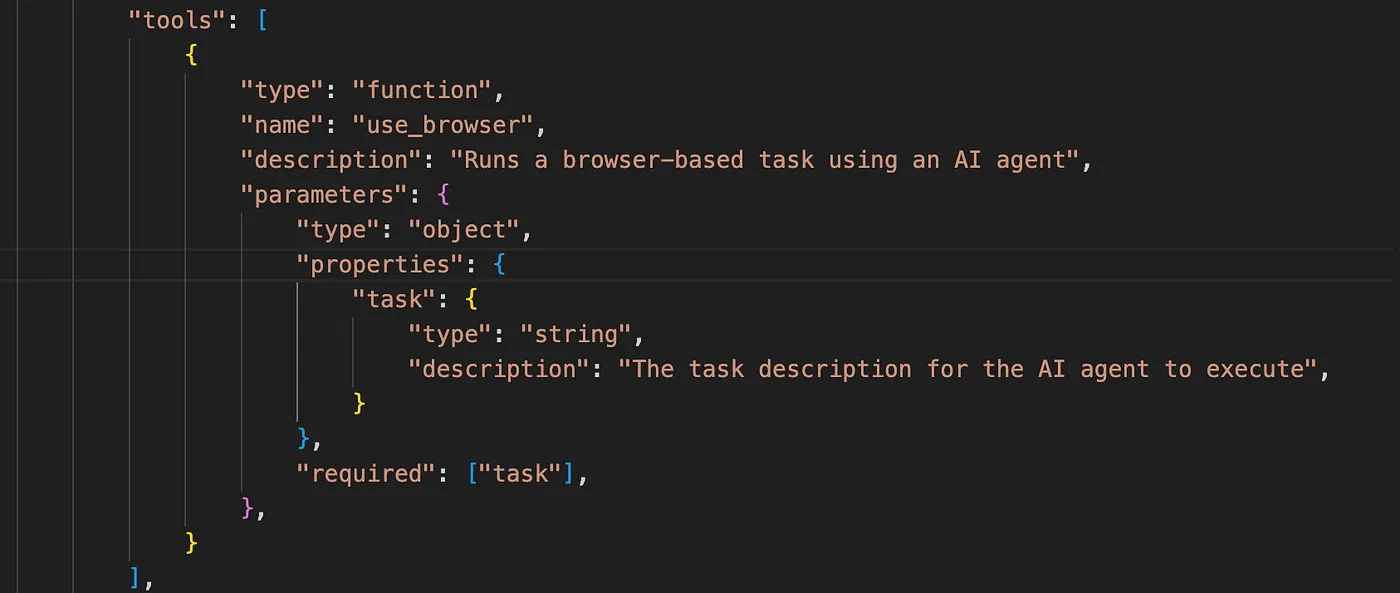 Function passed to Realtime API tools for browser use.
3. Browser Automation
When OpenAI responds after processing user query, I am checking if browser_use is the function being called in websocket_handler.py.
If so, the function for the browser_use is being called.
 Condition to check if browser_use is the tool being called.
4. Running Browser Tasks
The use_browser function sets up an agent, runs the browser task, and returns the result:
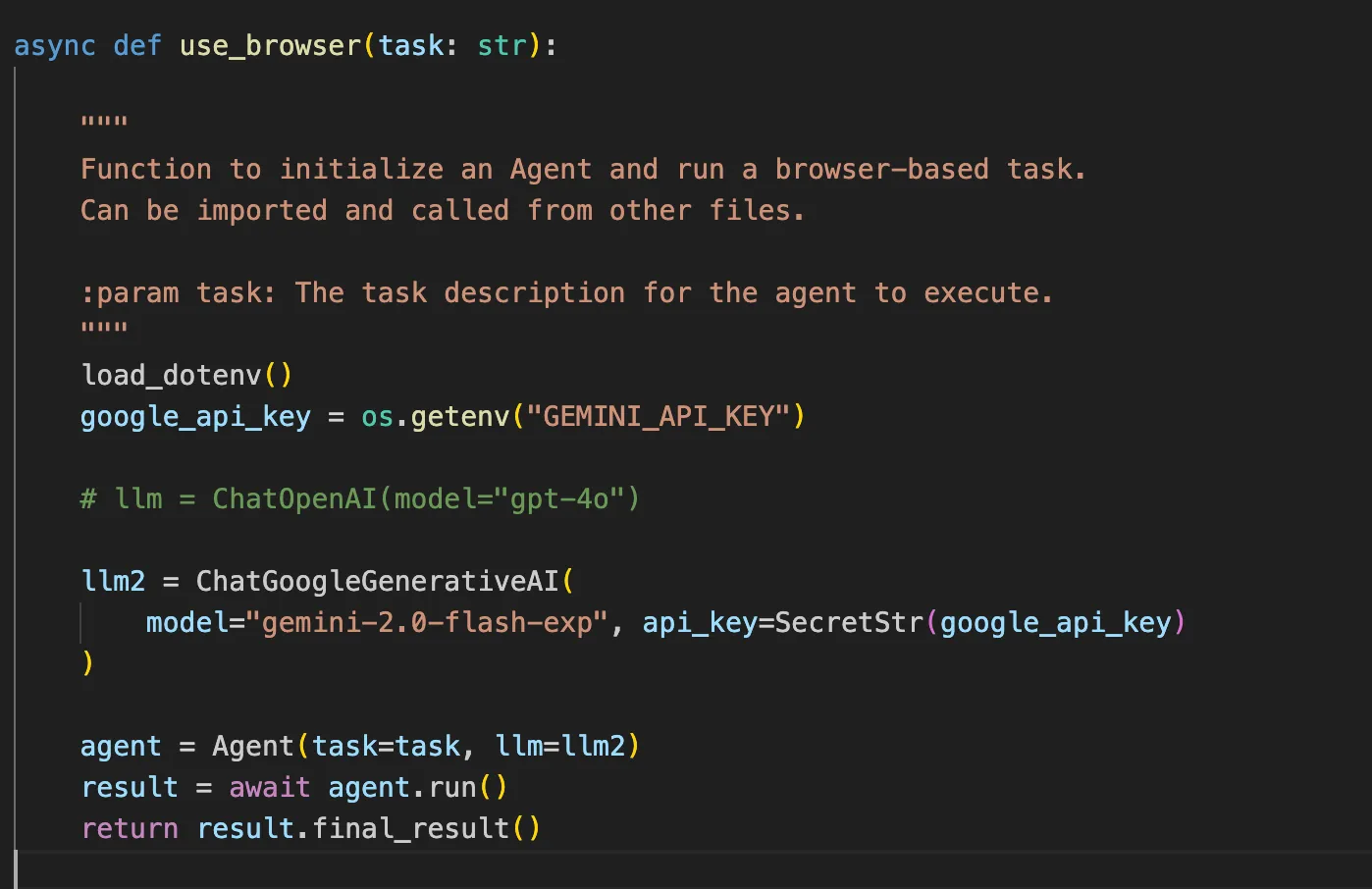 use_browser function.
5. Response Handling
The OpenAI real-time API waits for the browser_use function to complete the task, then returns the result via voice.
Conclusion
This project recreates OpenAI’s operator at a lower cost, with voice command support. It’s a smart and affordable way to use AI for browser automation.